
Download Kijio Subtitle Editor – Visual Timeline Editing, Automatic Translation, Codec Compatibility
Overview
Kijio Subtitle Editor is a specialized mobile application designed to streamline the process of subtitle creation and editing through a modern, visual timeline interface. Unlike traditional subtitling tools that rely on text-based timing inputs, Kijio introduces a drag-and-drop methodology, allowing users to adjust subtitle timing directly on a visual timeline. This approach significantly reduces the learning curve, making it particularly suitable for beginners entering the world of video localization and content creation.
The app supports a wide range of video formats through integration with VLC libraries, ensuring reliable playback and synchronization across diverse media files. With built-in automatic translation for up to 56 languages, Kijio enables users to expand their content’s global reach without requiring multilingual expertise. It serves as a practical utility for educators, content creators, independent filmmakers, and digital media students who need to produce or modify subtitles efficiently.
The app is positioned as a beginner-friendly solution in a niche but growing segment of mobile productivity tools. Although the developer did not provide additional technical details, the app’s focus on accessibility and ease of use suggests a targeted effort to democratize subtitling. Its presence in the mobile ecosystem offers a portable alternative to desktop-based subtitle software, enabling on-the-go editing and collaboration.
Key Features & Functionality
- Visual Timeline Editing: Subtitles are displayed as visual elements on a timeline, allowing users to adjust start and end times by dragging them directly. This eliminates the need for manual timecode entry and reduces errors common in text-based editing.
- Codec Compatibility via VLC Libraries: By leveraging VLC’s robust codec support, Kijio ensures smooth playback of various video formats without requiring external conversion tools. This enhances workflow continuity and reduces technical friction.
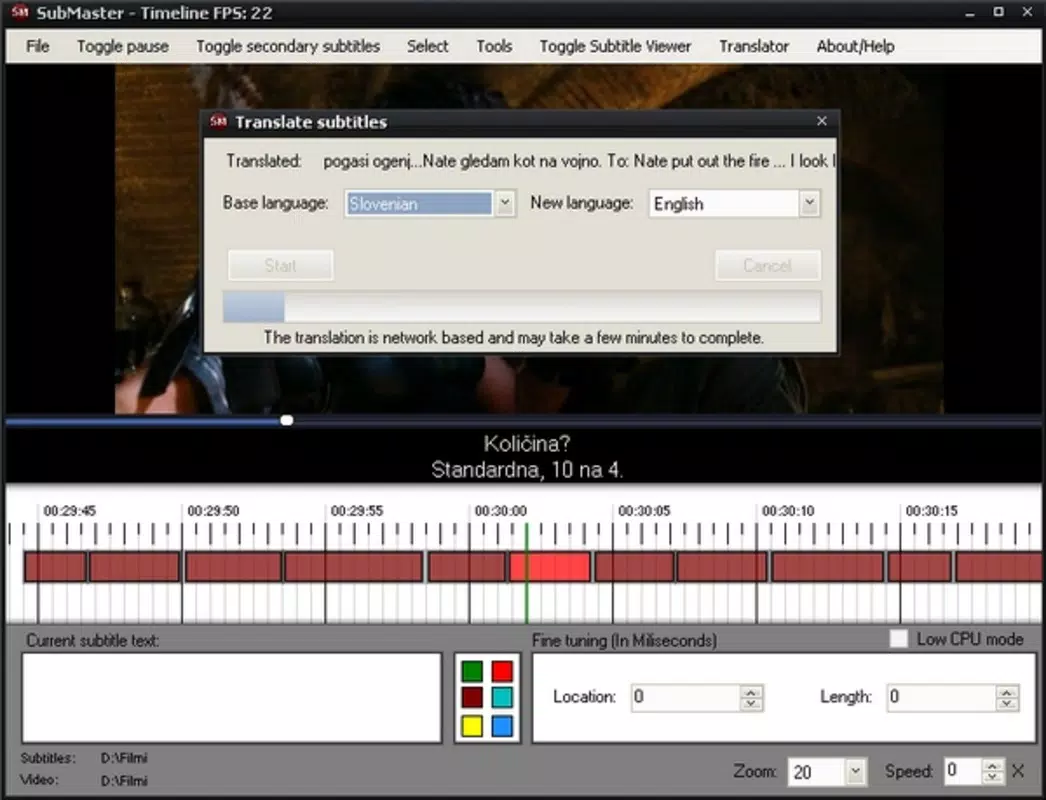
- Automatic Translation for 56 Languages: The app automatically translates subtitles into multiple languages, enabling creators to reach international audiences. This feature is especially valuable for educational content, YouTube creators, and independent media producers.
- User-Friendly Interface: Designed with simplicity in mind, the interface avoids clutter and presents essential tools in an intuitive layout. New users can begin editing without prior training or experience.
- Beginner-Oriented Workflow: From file import to export, the entire process is structured to guide users step-by-step, reducing intimidation and encouraging skill development over time.
For example, a student creating a documentary can import their video, drag subtitles to match speech, and instantly translate them into Spanish and French. Similarly, a content creator preparing a tutorial video can adjust timing with precision and export subtitles in multiple languages without switching tools. These real-world applications demonstrate how Kijio simplifies complex tasks into manageable, visual actions.
Interface, UX & Performance
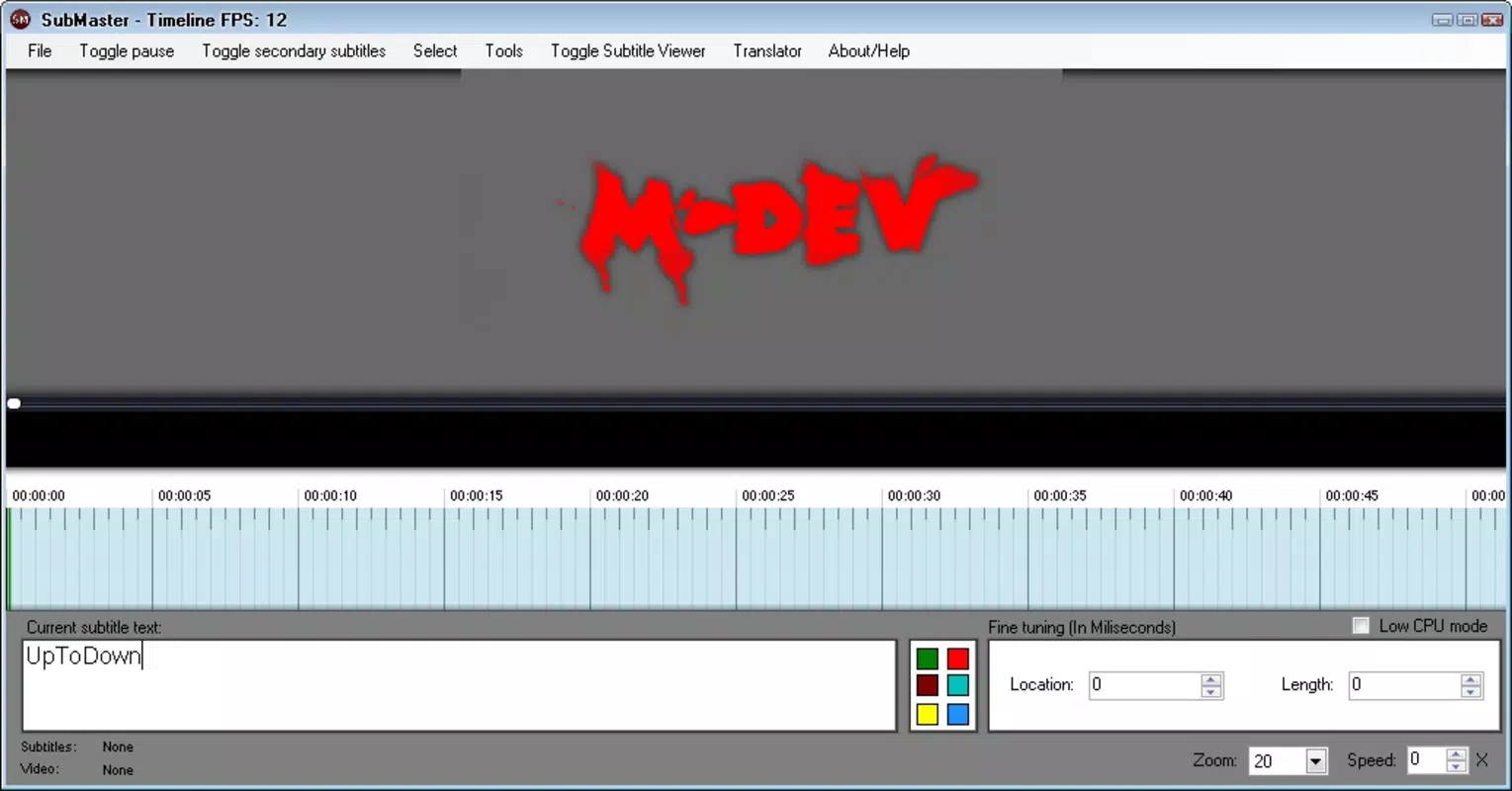
The interface of Kijio Subtitle Editor is designed around visual clarity and intuitive interaction. Subtitles appear as labeled blocks on a horizontal timeline, synchronized with the video playback. Users can tap, drag, or resize these blocks to adjust timing with precision.
Navigation is streamlined, with playback controls, file import options, and export settings accessible from a consistent toolbar. The visual style emphasizes readability and focus, minimizing distractions. Although the developer did not list formal performance metrics, the app’s integration with VLC libraries suggests optimized handling of video and audio streams.
It is expected to maintain smooth playback and responsive interaction across mid-range and high-end devices. Responsiveness during timeline manipulation appears to be a core design priority, as evidenced by the drag-and-drop functionality. Stability is implied through the app’s long-standing presence since its release in 2010, though no official updates or crash reports were disclosed.
Users can expect consistent behavior during typical editing sessions, though performance may vary depending on device capabilities. Compatibility with different screen sizes and orientations was not specified, but the interface appears to adapt to standard mobile layouts. Overall, the user experience is tailored toward ease of use and visual feedback, making it accessible even for those unfamiliar with digital editing tools.
Platform Compatibility & Technical Requirements
Kijio Subtitle Editor is available on Android and iOS platforms, though specific OS versions were not listed. The app’s file size is not disclosed, but it is designed to function as a mobile utility without requiring excessive storage. The latest version of the app is not specified, and no information was provided regarding system requirements or device compatibility beyond the general platform availability.
The developer did not specify minimum OS versions or hardware specifications. Users should ensure their device supports standard video playback and touchscreen interaction for optimal functionality. Although the app has been available since 2010, no recent update history was shared.
This may indicate limited maintenance or a stable, feature-complete release. Compatibility with newer devices and operating systems cannot be confirmed without additional details. Users are advised to verify app functionality on their specific device before installation.
Pros and Cons
Pros
- Intuitive visual timeline interface for easy subtitle manipulation
- Automatic translation support for up to 56 languages
- Strong codec compatibility via VLC library integration
- Beginner-friendly design with minimal learning curve
- Portable editing solution for mobile users
Cons
- Specific OS version and device compatibility were not disclosed
- No information on recent updates or maintenance status
- File size and storage requirements were not provided
- Performance on older or low-end devices was not confirmed
- Limited transparency regarding technical specifications
FAQ
Is Kijio Subtitle Editor free to download?
The pricing information was not provided. Users should check the official app store listing for current pricing and availability.
Can I use Kijio Subtitle Editor on both Android and iOS?
Yes, the app is available on both Android and iOS platforms. However, specific compatibility details were not listed.
Does Kijio support automatic translation of subtitles?
Yes, the app includes automatic translation for up to 56 languages, enabling users to localize subtitles for global audiences.
What video formats does Kijio Subtitle Editor support?
Due to integration with VLC libraries, the app supports a wide range of video formats. Specific formats were not listed in the provided information.
Is the app regularly updated?
The developer did not provide information on update frequency or maintenance status. Users should assess the app’s current functionality based on available reviews and device compatibility.
Final Thoughts
Kijio Subtitle Editor stands out as a unique mobile tool that brings professional-grade subtitling capabilities into a user-friendly, visual format. Its combination of timeline-based editing, automatic translation, and robust codec support makes it a compelling option for beginners and casual users alike. While technical details such as OS requirements, file size, and update history are not available, the app’s long-standing presence suggests reliability and core functionality.
It fills a niche in the mobile productivity space by offering a portable, accessible solution for video localization. Content creators, educators, and students who need to edit or translate subtitles on the go will find significant value in its intuitive design and feature set. Despite the lack of transparency in some areas, the app delivers a clear benefit: simplifying a traditionally complex task.
For anyone looking to enhance video accessibility without technical overhead, Kijio Subtitle Editor offers a practical and forward-thinking approach. Download Kijio Subtitle Editor now.


